How to Choose the Best No-Code Algo Trading Platform for Beginners (2026)
Choosing the best algo trading platform for beginners comes down to one question: can you see exactly why your bot does what it does before you let it touch real money? The platforms worth your time are the ones that show their logic plainly, let you backtest deeply enough to trust the result, and force a demo or paper-trading stage before anything goes live — not the ones with the biggest name recognition or the flashiest landing page. For traders whose focus is crypto specifically, a visual builder that pairs rule-based logic with backtesting and a demo or testnet mode is the safer starting point than a general-purpose platform or a straight-to-live bot.
What is algorithmic trading, and how do no-code builders differ from coding platforms?
Algorithmic trading means handing a set of rules — not a finger on a button — the job of watching a market and placing orders when conditions are met: a price crossing a moving average, a volume spike, a drop of a set percentage from a recent high. The rules can be as simple as a single stop-loss or as layered as a multi-stage entry-and-exit plan.
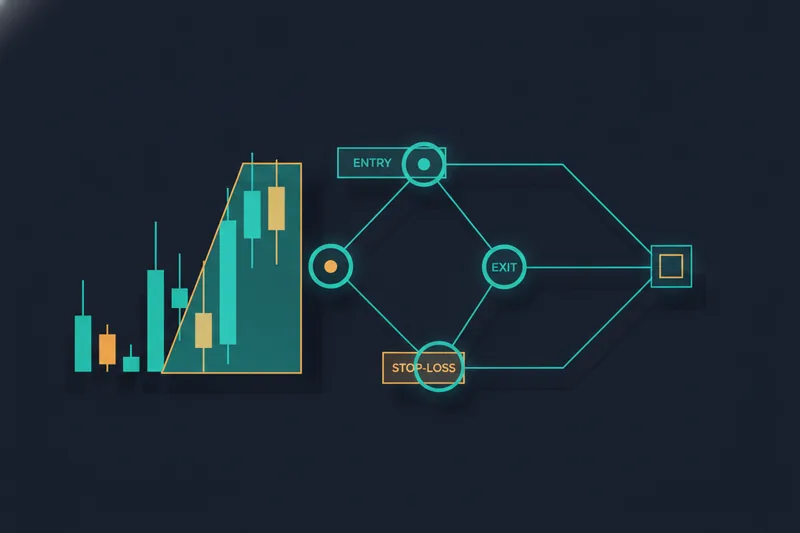
How you build those rules is where platforms diverge. A no-code builder lets you assemble logic visually, dragging condition blocks onto a canvas and connecting them — the same idea behind tools such as Coinrule's bot builder, which lets traders construct crypto bots without writing a line of code. You see the structure of a strategy as a diagram, not as a script.
A coding platform expects you to write the logic yourself, typically in Python or a proprietary scripting language. QuantConnect runs cloud-based Python and C# strategies against historical and live data, and MetaTrader runs Expert Advisors written in its own MQL language — though not every Expert Advisor sold for MetaTrader is a complete trading system; some are just utilities, like trade managers or chart overlays, bolted onto a strategy you still have to supply.
No-code builders vs coding platforms like QuantConnect or MetaTrader
For a beginner, the practical difference shows up the moment something goes wrong. On a coding platform, debugging a misfiring strategy means reading through code to find the faulty condition. On a no-code builder, that same condition is a visible block on a canvas — easier to trace, and the first step toward the transparency a beginner needs before trusting any bot with real money.
What principles separate a trustworthy beginner platform from a risky one?
Brand recognition says nothing about whether a platform protects you from your own untested assumptions. Three criteria do a better job of separating a platform worth your time from one that just looks polished.
Transparency: seeing why a trade triggered
A trustworthy platform shows you, condition by condition, why a trade fired — not just that it did. That means being able to see which rule crossed its threshold, which one almost did and didn't, and which conditions conflicted at the moment of execution. Without that view, a losing trade is just a mystery, and you can't tell whether the strategy is flawed or the market was simply unusual that day.
Backtesting depth and its limits
Backtesting runs your rules against historical price data to see how they would have performed. Depth matters: a strategy tested against a few weeks of data has barely been tested, while months or years of history expose it to different conditions — trending, ranging, volatile, quiet. Just as important is accepting what backtesting can't tell you: past price action doesn't guarantee future behavior, and every platform caps how far back you can test depending on your plan, so check that limit before you trust a strategy's track record.
Built-in risk controls like stop-loss
A stop-loss closes a losing position once it crosses a defined loss threshold, and it should be something you set at the strategy level, not something you remember to place manually after the bot is already running. Beyond a basic stop-loss, look at whether the platform lets you cap risk per trade or per strategy — and be honest about ease of use here, because a risk control you find confusing to configure is one you won't use correctly under pressure.
What should a beginner expect to pay, and is there a free way to start?
Most beginner-friendly platforms let you build and run a strategy on a free or demo tier before you pay anything — treat that tier as mandatory, not optional. Paper trading, running your rules against live-like market data without committing real funds, is how you confirm a strategy behaves the way its backtest suggested before you fund an account with it.
Paid tiers typically scale by how much backtesting history and how many live strategies you unlock, not just by a longer feature list. Some platforms charge a flat monthly subscription, others charge per trade executed — check which model actually fits how often your strategy trades before comparing sticker prices. If a strategy needs to run around the clock rather than while your own computer is on, add hosting to the budget: a basic VPS, a small remote server that keeps your bot running continuously, has a cost that varies widely depending on the provider and region, so check current pricing rather than assuming a fixed figure.
Whatever the platform, confirm two things before paying for anything: what the free tier actually lets you test, and whether paid tiers scale with how much history you can backtest, not just how many bots you can run.
What should crypto traders specifically check before going live?
Crypto markets trade continuously, without the circuit breakers or trading halts common in equities, which makes the controls you set before going live more important, not less.
Start with how the platform connects to the exchange. Most no-code crypto bots execute through your own exchange API key rather than a broker account, so you keep custody of your funds — the bot places orders on your behalf, it doesn't hold your coins. Check what permissions that key needs, trading only versus trading plus withdrawal, and restrict it accordingly.
Confirm the platform lets you paper trade against live market data before switching to real funds, not just backtest against history. A strategy that looked good in a backtest can still behave differently against live order flow and slippage, and a demo run against real-time prices is the closest thing to a dress rehearsal you'll get.
Set a stop-loss before you go live, not after a position is already open, and check whether the platform applies it automatically or expects you to place it by hand each time.
If a platform leans on copying other traders' positions rather than running your own rules, be cautious about the fee structure: copy-trading arrangements typically take a cut of profits in ways that aren't always transparent upfront, which runs against the same visibility into costs and logic you should expect from a rule-based strategy.
A newer wrinkle worth watching is AI-driven execution: if a tool lets a model decide when to trade rather than following a condition you explicitly set, you lose the same transparency this guide treats as the first requirement for a beginner platform.
Which platform fits your situation — and where does a visual crypto builder like Quberas fit?
Finding the best algo trading platform for beginners means matching features to your own situation, not chasing whichever name ranks highest in a listicle. Four options traders compare most often illustrate the trade-offs, measured against the transparency, backtesting depth and risk controls covered above.
- Coinrule: if you want a customizable bot built specifically for cryptocurrency markets without touching code, Coinrule's bot builder is aimed squarely at that, making it a reasonable starting point for someone whose whole focus is crypto rather than stocks or forex.
- TradingView: if you already think in charts and want strategy logic built from the indicators and drawings you use daily, TradingView's charting-first approach suits traders who want their rules to stay close to the chart they already read.
- Quantman: if you want the lowest possible learning curve into algorithmic trading in general, Quantman is positioned as easy to use and feature-rich for beginners, which suits someone testing the waters before committing to a more specialized tool.
- QuantConnect: if you're comfortable eventually reading or writing code, or expect to outgrow a visual builder, QuantConnect's cloud-based coding environment opens the door to more complex, custom logic than any drag-and-drop canvas allows, at the cost of the lower learning curve a no-code tool offers.
None of these four is built specifically around visual, no-code logic for crypto trading alone — they either span multiple asset classes, lead with charting rather than rule-building, or expect you to eventually write code. If your whole focus is crypto, and you want your exact entry, exit and stop-loss logic laid out visually, backtested, and proven on a demo stage before any live order, that specific combination is the territory Quberas is built for.
Common questions before you start automating trades
How much does algo trading software cost? It ranges from free demo tiers to monthly subscriptions or per-trade commissions, depending on the markets and platform. Check the current pricing page before relying on a number you saw last year — schedules change.
Is there a dedicated platform for paper trading algo strategies? Most platforms bundle paper trading into their main engine rather than selling it separately, and the two should share the same logic so that what you tested is really what runs live. The common path is to backtest on history first, then forward-test on live or paper data before committing real capital.
Are DCA bots and signal bots the same thing? No. A dollar-cost-averaging bot buys on a schedule, or adds to a position as price falls to lower its average entry, while a signal bot acts on an external alert rather than its own built-in logic. Know which one you're running before judging its results.
Is algorithmic trading risky for beginners? Yes, and automating a strategy doesn't remove that risk — it removes the hesitation that sometimes stops a bad trade from going through. A stop-loss, a demo stage, and a cap on how much capital any one strategy touches are the minimum before a bot trades with real funds.
Start exploring a no-code way to build and backtest your own crypto trading strategy on a free demo plan before risking real funds.
This article is general information, not personal financial advice. Crypto prices move quickly and capital put into live trading, automated or not, is at risk of rapid and total loss — past backtest or demo results don't promise future ones.