Forex Factory News: Read & Trade High-Impact Events
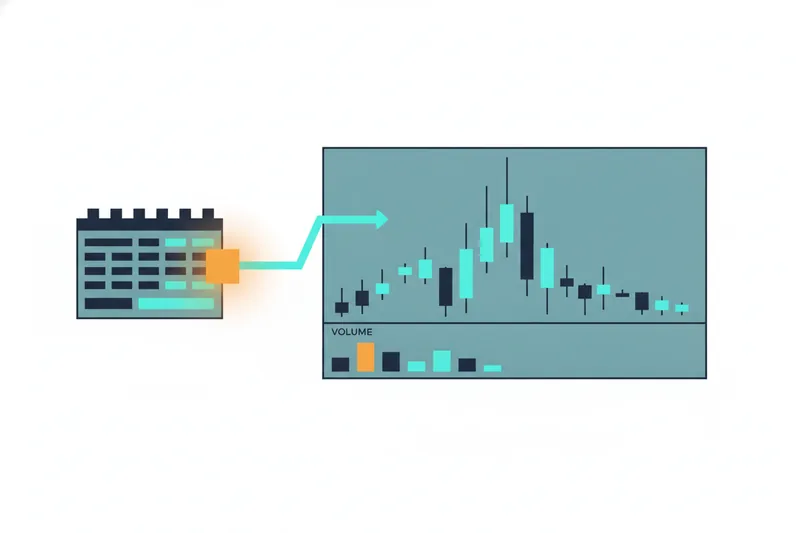
The Forex Factory economic calendar tells you what's about to move currency pairs, but reading it well is a different skill from acting on it. This guide covers how to interpret the calendar's impact ratings, set up a news indicator on MT4/MT5, trade around events like CPI, NFP, and Fed decisions, watch gold's reaction, and — once you understand the mechanics — build a rule-based response that reacts to high-impact news without you staring at a chart at 8:30 AM waiting for a release.
What Is Forex Factory News and How It Works
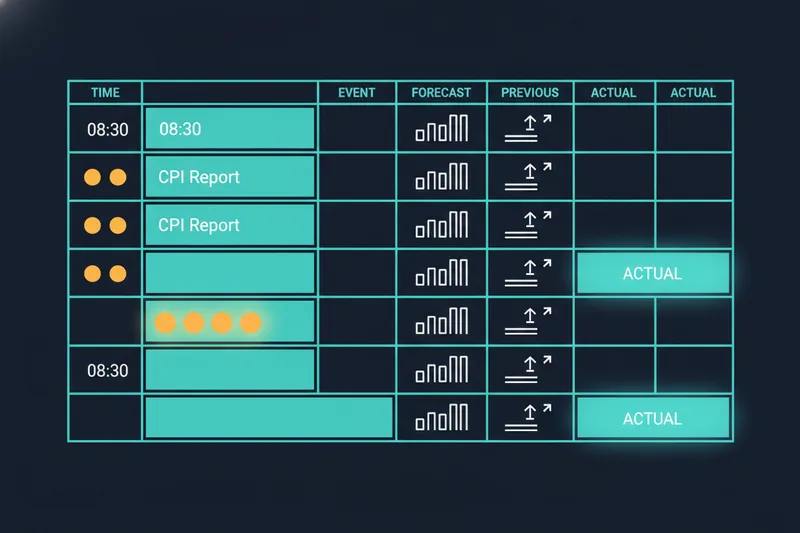
The Forex Factory economic calendar is a free, continuously updated schedule of scheduled economic data releases, central bank statements, and speeches from officials whose words move markets. Each entry lists the country, the event, the scheduled release time, and a color-coded impact level. It's not a news feed in the traditional sense — it's a forward-looking calendar paired with real-time forex news updates the moment numbers are published, so traders see the actual figure against what was expected within seconds.
Where the Calendar Data Comes From
Forex Factory aggregates release schedules and figures from government statistical agencies and central banks — the U.S. Bureau of Labor Statistics, the Federal Reserve, Eurostat, and similar bodies elsewhere. The site doesn't generate the data; it structures and timestamps it so traders don't have to track a dozen separate agency websites.
Why Traders Rely on Forex Factory News
Beyond the calendar itself, the platform's trader forum/discussion boards let retail traders compare expectations before a release and reactions after it, which is useful context but not a substitute for your own risk plan. Most traders check the calendar every morning specifically to see which economic data releases (CPI, NFP, Fed decisions) are due that day, because these are the events most likely to move price sharply within minutes. That morning ritual of scanning a calendar and then manually watching a chart around release time is exactly the workflow that platforms like Quberas were built to replace with a defined, testable rule instead of a live decision made under pressure.
How to Read the Forex Factory Economic Calendar
Reading the calendar correctly comes down to four columns: currency, event, time, and the actual/forecast/previous figures. The event name tells you what's being measured (e.g., "Non-Farm Employment Change"); the currency tells you which pairs are exposed.
Calendar Columns and Filters
Each row shows a previous figure (last period's result), a forecast (consensus analyst estimate), and, once released, the actual figure. The gap between actual and forecast — not the number itself — is usually what drives the price reaction. You can filter the calendar by currency, by impact level, or by date range, which matters because a EUR/USD trader has no reason to track a Japanese employment release.
Time Zones and Release Timing
The calendar displays times in the time zone used in your country by default, but always confirm this setting before a session — a one-hour mismatch around a high-impact release is a common, avoidable mistake. Because most major releases originate from U.S., Eurozone, or UK sources, currency pairs volatility tends to cluster around the New York and London session opens, with USD-related pairs most active during the U.S. morning.
Understanding High, Medium, and Low Impact News Events
Forex Factory rates every event as low, medium, or high impact, shown as yellow, orange, or red icons. This rating reflects historical volatility caused by past releases of that same event type, not a prediction of what will happen this time. High-impact news events — typically interest rate decisions, employment reports, and inflation data — are the ones capable of moving a pair 50-100+ pips in the minutes following release.
The three events traders watch most closely are CPI (Consumer Price Index, a measure of inflation), NFP (Non-Farm Payrolls, the U.S. monthly jobs report), and Fed rate decisions. It's worth noting that NFP isn't always released on the first Friday of the month as commonly assumed — its date follows the Bureau of Labor Statistics' published schedule, which shifts depending on the calendar year. Confirming the exact date on Forex Factory rather than assuming a pattern avoids being caught off guard. Medium and low-impact events still move price, just with less consistency, which is why most news-trading approaches filter for high-impact only.
Forex Factory News Indicator for MT4/MT5 (Setup Guide)
A news indicator for MT4/MT5 pulls Forex Factory's calendar data directly onto your chart as vertical lines or countdown labels, so you don't need a separate browser tab open during a session. These indicators are typically distributed as free custom Expert Advisors (EAs) or scripts from MT4/MT5 community sites.
Installing the Indicator
Download the compiled indicator file, place it in your platform's MQL4/Indicators (or MQL5/Indicators) folder, restart the platform, and drag it onto your chart from the Navigator panel. Most versions require you to enable "Allow WebRequest" for the Forex Factory domain in your platform's options, since the indicator fetches live calendar data over the internet rather than storing it locally.
Configuring Alerts for High-Impact Events
Once installed, configure the indicator to display only high and medium-impact events to reduce chart clutter, and set pop-up or sound alerts a chosen number of minutes before release. Worth knowing: not every EA on your chart automates trading — some, including most news indicators, exist purely to display information, while a separate EA (or you, manually) still has to act on it. That distinction matters, because a news indicator tells you when something is about to happen; it doesn't decide what your position should do about it.
How to Trade News Events (Strategies and Risks)
A news trading strategy is any approach built around the expected volatility spike from a scheduled release, rather than ongoing chart patterns. Two common structures dominate: trading the immediate spike in the seconds after release, and trading the retracement or trend that follows once the initial reaction settles.
Common News-Trading Approaches
Traders adapt existing day-trading styles to news events rather than inventing entirely new ones. Scalping — trading on very short 1-minute to 15-minute charts with positions held for seconds to minutes — is common immediately around a release, where outcomes depend heavily on execution speed and spread rather than any broader trend. Others prefer waiting for the initial spike to settle and then trading the breakout or trend that follows, which is one of several established day-trading approaches alongside range and gap trading.
The Risk of False or Noise-Driven Signals
The core risk in manual news trading is reacting to a headline number without checking the underlying detail — a strong CPI print with a weak core reading, for instance, can spike price in one direction and reverse within minutes. Currency pairs volatility around releases also widens spreads sharply for the first 30-90 seconds, which can turn a technically correct call into a losing trade purely on execution cost. This is the exact failure mode manual, discretionary reaction is prone to: fast decisions made under adrenaline, with no consistent rule for when a move is real versus noise.
Forex Factory Gold News: What to Watch
Gold (XAU/USD) reacts to many of the same releases that move currencies, but often more sharply, because gold trades as both a currency hedge and an inflation hedge simultaneously. Gold news / XAU price reaction is typically driven by U.S. inflation data (CPI), Federal Reserve rate decisions, and NFP, since all three shift expectations about real interest rates — the main driver of gold's opportunity cost. A hotter-than-expected CPI print, for example, often pressures gold initially on rate-hike expectations before a reversal if the broader data mix disappoints elsewhere. Because gold's reaction window can be sharper and faster than a typical currency pair's, traders watching XAU around these releases face the same false-signal risk described above, just amplified.
Alternatives to Manual News Trading: Automating Your Response with No-Code Rules
Manually watching the calendar, waiting for a release, and clicking a trade within seconds is a skill few retail traders execute consistently well — spread widening, hesitation, and emotion all work against you. Automated trading platforms generally fall into a few categories: full coding environments, no-code/low-code builders, signal-to-execution tools, and marketplaces of pre-built bots. For a trader who wants control over the logic without writing code, a no-code strategy builder sits in that second category, letting you define entry, exit, and risk rules visually rather than through a script.
Building a News-Reactive Deal Map
In Quberas, this takes the shape of a deal map — a visual layout of your strategy's stages, from entry condition through averaging orders, exit, and stop-loss, connected the way you'd sketch it on paper. Instead of a discretionary "if CPI beats forecast, buy" decision made in the moment, you define the condition once — price movement, indicator crossover, or volatility threshold following a scheduled time window — and the rule fires the same way every time a similar setup occurs.
Backtesting a News Strategy Before Going Live
Before risking capital, a strategy needs to be validated against historical data, and this typically happens in two stages: backtesting against past data and forward testing in current conditions — neither one is optional or a stand-in for the other. Backtesting a news-reactive rule set against past high-impact releases shows you how the logic would have performed across dozens of CPI or NFP days, not just the last one you remember.
Reducing False Signals with the Visual Debugger
The harder problem with news trading isn't building the rule — it's tuning it so it doesn't fire on noise. Quberas's visual debugger highlights the exact chart zones tied to each condition, so you can see not just where a trade triggered but where a condition almost triggered and didn't. That "almost vs. triggered" view is the basis of threshold tuning: adjusting how far price or volatility needs to move before your rule counts it as real, which is how you cut down on noise-driven entries around volatile release windows. Stop-loss and risk controls sit at the same deal-map level, so a news-reactive entry always carries a defined exit, rather than an open position you're managing by feel during a fast market.
FAQ
Is Forex Factory news free to use? Yes. The Forex Factory economic calendar, its impact ratings, and the trader forum are free and don't require an account to view.
Does a high-impact rating guarantee a big price move? No — it reflects historical volatility for that event type, not a guarantee for the next release. Actual movement depends on how far the actual figure deviates from forecast.
Can I automate a news trading strategy without coding? Yes. A no-code automation builder lets you define entry, exit, and risk conditions visually and connect them into a testable strategy, without writing an Expert Advisor or script from scratch.
How do I avoid false signals when trading news? Widen your definition of "confirmed" beyond the first tick of movement, and test your rule's threshold against historical high-impact days before trusting it live — this is what threshold tuning inside a backtested strategy is for.
Ready to stop watching the calendar manually? Build a no-code strategy in Quberas that reacts to high-impact news events, backtest it against historical data, and debug false signals visually before you go live.