Is It Worth Paying for a Trading Bot Builder?

Paying for a trading bot builder is worth it when the subscription cost is lower than what opaque logic, false signals, and manual debugging are already costing you — in wasted trades, guesswork, and time spent second-guessing why a bot did what it did. It's not worth it if you're trading small size, testing casually, or would rather learn to code your own logic from scratch. This guide gives you the framework to tell which camp you're in before you subscribe to anything.
What Is a Trading Bot Builder and How Does Its Logic Actually Work?
A trading bot builder is software that lets you define a set of rules — when to enter a trade, when to exit, how to manage risk — and then executes those rules automatically against live market data. Instead of watching charts and clicking buy or sell, you set the conditions once and the bot monitors the market continuously.
Under the hood, every bot runs on two core pieces of logic: entry conditions (the criteria that must be true for the bot to open a position — a moving average crossover, an RSI threshold, a volume spike) and exit conditions (the criteria that close it — a profit target, a stop-loss, a reversal signal). Automated trading platforms generally fall into a few categories: full coding environments, no-code/low-code builders, signal-to-execution layers that just relay alerts to a broker, and marketplaces of pre-built bots. A no-code strategy builder sits in the second category — it replaces script-writing with a visual interface where you connect indicators and conditions directly, an approach platforms like Tradetron have popularized by letting users assemble algorithms without programming knowledge.
The practical challenge with most of these tools is that the logic, once built, becomes hard to inspect. You know a bot entered a trade, but not always why — which condition actually fired, and how close the others came to triggering. Quberas approaches this by rendering each rule directly on the price chart as a visual "deal map," so you can see the exact candle and condition that caused an entry, average-in, or exit, rather than reverse-engineering it from a trade log. This matters because the same underlying idea — entry and exit logic — gets expressed very differently depending on the tool: some platforms bury it in parameter panels, others in code, and some (like certain MetaTrader Expert Advisors) don't even automate trading directly — some EAs just enhance the chart, while a separate EA handles execution. Day trading software as a category is really built on three pillars: execution platforms, data feeds, and analytics or journaling tools for reviewing what happened after the fact — a bot builder's transparency largely determines how much manual journaling you'll still need to do.
Do Trading Bots Actually Make Money?
Bots don't make money by existing — they make money (or lose it) exactly as well as the strategy logic they're running, applied consistently and without emotional override. That consistency is the actual value: a bot executes the same rule at 3 a.m. as it does at 3 p.m., which a manual trader simply can't match.
Manual vs automated trading differs less in strategy quality than in execution discipline and coverage. A manual trader closes a laptop; a bot doesn't. But automation doesn't remove risk — it relocates it. Algorithmic trading risk includes technical failure (a dropped connection, an exchange API hiccup) alongside strategy risk (bad logic that loses consistently rather than intermittently). For live operation with real capital, the failure modes of running a bot off a home PC — sleep mode, ISP outages, forced reboots — make a dedicated always-on server effectively necessary for serious use, even though a home setup is fine for testing.
Not all "bots" do the same job, either. A DCA (dollar-cost-averaging) bot buys or sells at regular intervals over a set time frame — it's a pacing tool, not a signal generator. Signal bots instead automate execution based on external alerts, layered on top of other bot types like grid or DCA bots. AI trading bots marketed to retail traders now offer some of the pattern-recognition tooling once reserved for institutional desks, but access to a tool isn't the same as having a validated strategy — plenty of retail traders lose money on well-marketed AI signals with no personal understanding of why a trade triggered. If you're paying a copy-trading lead trader a performance fee, expect it in the 10–20% range of net profits — a cost worth comparing against building and running your own logic.
Free vs Paid Trading Bot Builders: What's the Real Difference?
Free tools are rarely free of tradeoffs. NinjaTrader, for example, offers a genuinely free tier with no monthly fee, but live trading on it comes at higher per-contract commissions than the paid license tiers — you're paying through execution costs instead of a subscription. Elsewhere, "commission-free" brokerage trading still isn't cost-free: sell orders can carry passthrough regulatory fees like the SEC fee and FINRA's trading activity fee regardless of the platform's commission structure. The cost of running a bot never fully disappears; a paid builder just makes it explicit and predictable instead of hidden in spreads and fees.
What a subscription typically buys is depth: more thorough historical backtesting across longer data windows and multiple asset classes, access to a strategy marketplace of pre-built or community strategies you can adapt instead of building from zero, and support for running several strategies concurrently. Some paid platforms price this as a flat monthly or annual fee covering full tool access rather than tiering by number of strategies or capital deployed — worth checking, since usage-based tiers can erode the subscription cost vs ROI math fast if you scale up. Free tool limitations usually show up first in backtesting: shallow historical data, no comparison across strategy variations, and no way to stress-test a rule set before risking money on it.
Code-Based vs No-Code Visual Builders: The Transparency Divide
Code-based platforms give you unlimited flexibility — if you can write and debug the code. Tools built around scripting (commonly Python) let experienced developers build, backtest, and deploy custom rule-based strategies, but every change requires touching the codebase, and every bug requires reading it. That's a real cost for a trader whose edge is chart reading, not software engineering.
No-code visual builders trade some flexibility for transparency into trade logic. Instead of a script, you get a deal map — a visual flow of entry, averaging, exit, and stop-loss stages connected on a canvas — and a visual debugger that highlights the exact chart zone tied to each condition. The difference isn't cosmetic: when a code-based bot behaves unexpectedly, you're reading logs and stepping through functions; when a visual bot behaves unexpectedly, you can look at the chart, find the candle where a condition fired (or almost fired), and adjust the threshold directly. For a self-directed trader iterating on strategy ideas daily, that speed difference compounds.
The Hidden Costs of Building Your Own Bot From Scratch
Coding your own bot looks free on the surface — no subscription, full control. The real costs show up later. Coding time is the first: even a straightforward entry/exit script takes real hours to write, test, and get correct, and every added condition (a filter, a second timeframe, a volatility check) multiplies that time. Maintenance burden is the second: exchange APIs change, libraries get deprecated, and a bot that ran fine for six months can silently break after an update you didn't notice. The third, and easiest to underestimate, is opportunity cost — hours spent debugging a script are hours not spent refining the strategy logic itself or watching the market. For a trader whose actual edge is reading price action, time sunk into software maintenance is time not spent on the skill that makes money.
Why Trading Bots Fail (and How a Transparent, Debuggable Builder Prevents It)
Most bot failures trace back to a small set of causes. False signals happen when a condition is technically met but the market context makes it a bad trade — a threshold set too loosely. Overfitting happens when a strategy is tuned so precisely to historical data that it stops working the moment real market conditions shift even slightly. Parameter guesswork happens when a trader adjusts numbers without a clear view of what those adjustments actually change on the chart.
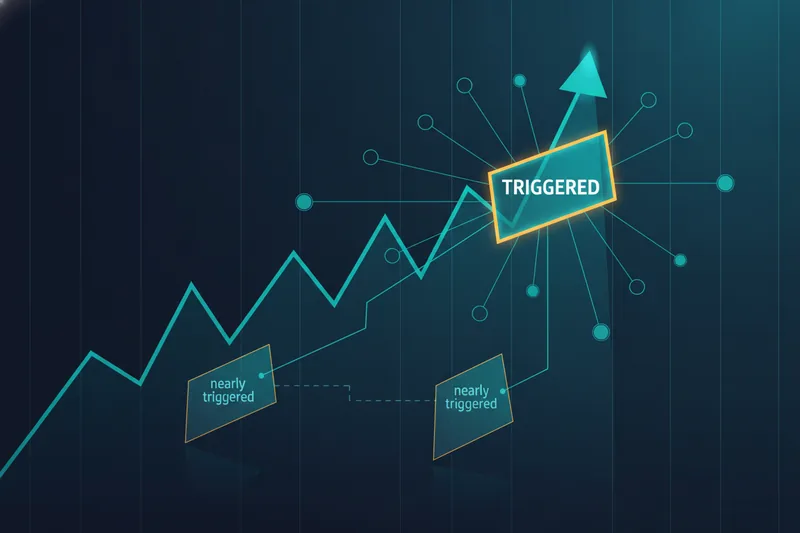
A transparent, debuggable builder attacks all three the same way: by making it visible how close a condition came to triggering, not just whether it did. That "almost vs. triggered" view is what turns threshold tuning from guesswork into a directed adjustment — you can see that a signal missed by a fraction of a percent and decide, deliberately, whether to widen it. Backtesting and forward testing are both necessary stages before a strategy is ready for real capital — neither substitutes for the other, and a visual debugger makes the gap between them easier to see, since you can inspect exactly which historical conditions a live version would also catch. It's also worth noting that automation is expanding past rule-based logic: LLM-connected systems can now plug into live market feeds and execution infrastructure directly, which raises the same transparency question in a new form — if you can't see why a system acted, you can't fix it when it acts wrong.
Is It Worth Paying? A Practical ROI Checklist Before You Subscribe
Run the subscription cost against these before deciding:
- Trade frequency and size — if your account risks more per week than the monthly subscription costs, a builder that reduces false signals pays for itself quickly.
- Time you currently spend debugging or journaling manually — if you're already reverse-engineering why trades triggered, that's the cost a visual debugger removes.
- Backtesting depth you actually need — casual testing doesn't need a paid tier; validating a strategy before committing real capital does.
- Whether you'd rather adapt a proven strategy or build one from zero — a strategy marketplace shortcuts the build phase; solo coding doesn't.
- Risk controls at the strategy level — stop-loss logic, averaging limits, and cooldowns after a loss should be configurable without touching code.
What to look for in a trading bot builder
Prioritize visibility over feature count: can you see, on the chart, exactly which condition fired and which came close? Can you backtest across enough history to trust the result, not just a lucky window? Does it let you set risk controls — stop-loss, position sizing, cooldowns — inside the same interface you build logic in, rather than bolted on separately?
Is a no-code visual builder worth it vs coding your own bot?
If you're comfortable reading charts and indicators but not writing and maintaining code, yes — a no-code visual builder gets you to a working, debuggable strategy faster, and the transparency it gives you into why trades trigger is difficult to replicate cheaply with a homemade script. If you're already a competent developer with time to spare, coding your own bot gives you flexibility no builder will match. For most self-directed traders weighing subscription cost against ROI, the deciding factor isn't the fee — it's whether you can currently explain, with confidence, why your last automated trade fired.
Start a free Quberas trial and build one strategy visually — see exactly where your rules trigger on the chart before deciding if a paid bot builder is worth it for you.